

Welcome to LBank Copy Trading! This instructions provides a detailed introduction on how to become an efficient copy trader. Easily follow the strategies of top lead traders and achieve steady asset growth. Whether you are a beginner or an experienced investor, copy trading helps you save time and effort, enabling you to capture market opportunities faster.
How to Choose a Lead Trader?
-
Log in to the LBank Account, tap 「Futures」-「Copy Trading」, select「Copy Trading」.

-
Tap 「Top Lead Traders」to view recommended list;
-
Tap 「All Lead Traders」or 「More>」to check out all Lead Traders by specific filters.
-
Alternatively, tap 「Search」to find a specific Lead Trader with keywords.
📌See 「LBank Copy Trading: How to Choose Your Ideal Lead Trader」.

-
Tap on any lead trader’s card to view details of this Lead Trader.

-
View data of 「Performance」, 「Copy Trading PnL」 and 「Holding Duration」from 「Overview」.
📌 For more details, see 「LBank Copy Trading: How to View Lead Trader’s Copy Trading Data」.

-
Once you’ve decided on a lead trader to follow, tap 「Copy」.

-
A pop-up note reminds you to follow the recommended parameters or set manually.
-
Tap 「Copy」 to automatically apply the recommended parameters.
-
Tap 「Customize」 to manually input your own copy trading parameters.
📌 For details, see 「Risk Control for Copy Trading」.

-
After completing the parameter settings, tap 「Start Copying Now」.

How to Check Copy Trading Data?
-
On the Copy Trading page, tap 「My」.

-
Tap 「Overview」, you can view 「Performance」 and 「My Lead Traders」.

-
Tap 「Lead Trader」 to check 「Current」 and 「History」.

-
Tap 「Orders」 to check 「Current Orders」 and 「Order History」.

How to Adjust Copy Trading Settings?
-
On the Copy Trading page, tap 「My」.

-
Tap 「Lead Trader」 - 「Current」, select the corresponding lead trader, then tap 「Details >」.

-
Tap 「Edit」.

-
Adjust the parameters as needed, then tap 「Start Copying Now」 to apply.
📌 For parameter details, see 「LBank Copy Trading Guide: Optimized Settings and Tips」.

How to Unfollow?
-
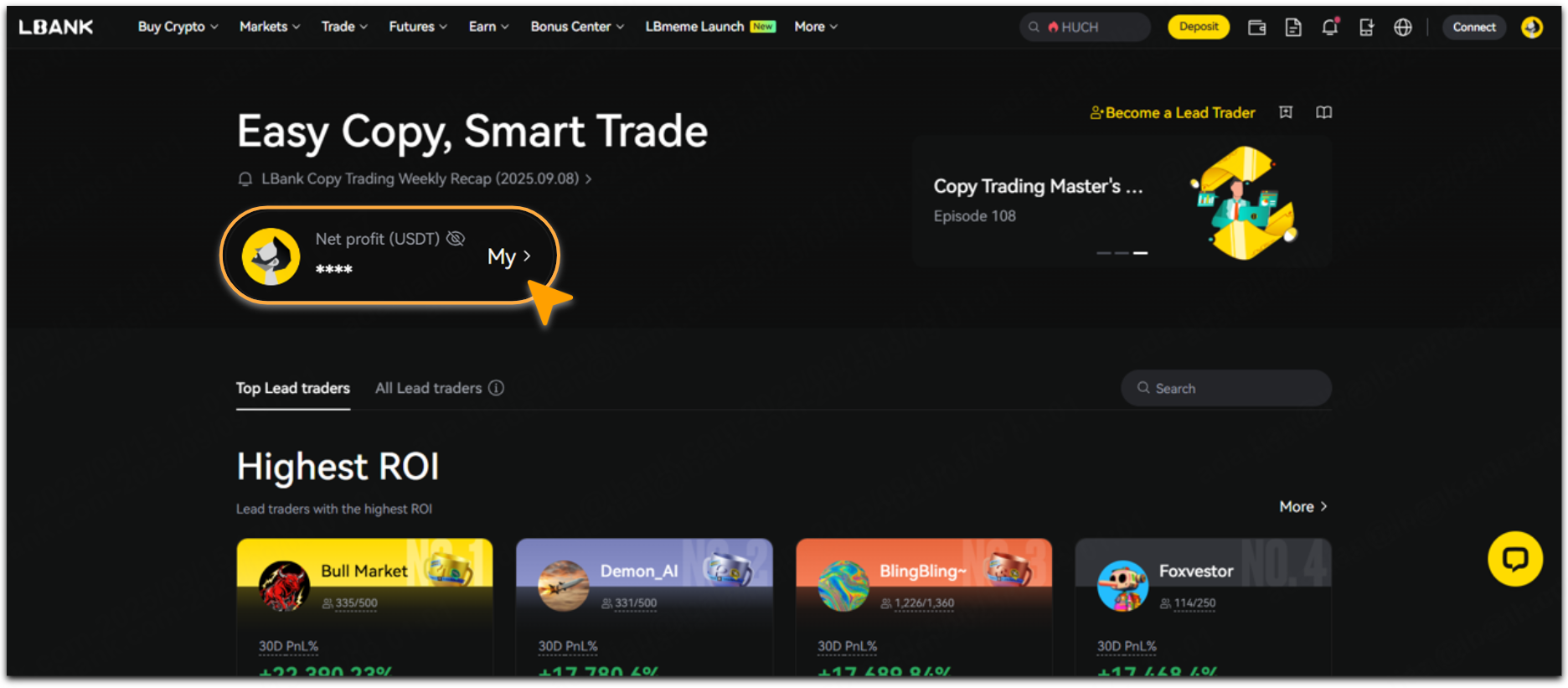
On the Copy Trading page, tap 「My」.
-
tap 「Lead Trader」 - 「Current」, select the corresponding lead trader, then tap 「Details >」.

-
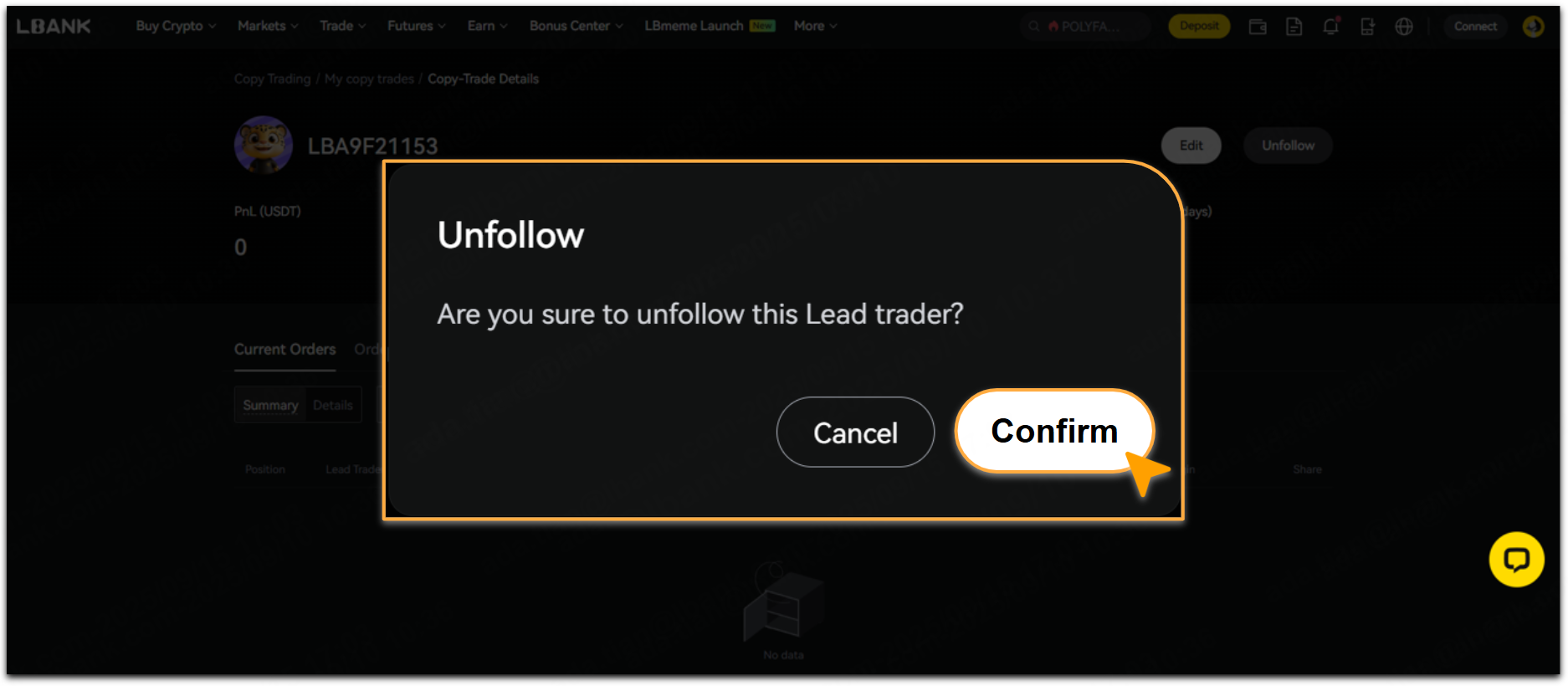
Tap 「Unfollow」.

-
Tap 「Confirm」 to unfollow this lead trader.
Important Notice: If a Copier cancels following the lead trader, the current positions will no longer be synchronized with the lead trader's trades and must be manually closed. Please ensure you check and manage your positions promptly after canceling the follow, in order to avoid unnecessary risks or losses.
How to Close Positions?
When the lead trader you are copying closes a position, your corresponding position will automatically be closed by the system.
If you want to close a position manually, steps are as followed:
-
Log in to the LBank account, tap 「Futures」.

-
Tap 「Copy Trades」, you may close the current positions manually on the list.
📌For more details, see 「LBank Copy Trading: How to Close a Copy Trading Position」.

Risk Disclosure
Copy trading involves significant risks and may result in partial or complete loss of funds, making it unsuitable for all investors. Market fluctuations, strategy failures, or technical issues may adversely affect trading results. Past performance is not indicative of future outcomes. Please carefully evaluate your risk tolerance and consider seeking advice from a professional financial advisor. LBank bears no liability for losses incurred from copy trading.
Still Need Help?
If you have further questions or cannot resolve the issue, please visit the LBank official website (/) or contact our support team at service@lbank.com. We are committed to providing you with a secure and seamless trading experience!